
Second Number for Call & Text
Dingtone PhoneSocial
4.486.96K Reviews
- Version
- 6.5.4
- Installs
- 50.00M
- Age Rating
- Everyone
Screenshots


Our Review of Second Number for Call & Text
 Analysis by Appyee
I’d consider Second Number for Call & Text when I want a separate number for a defined purpose but don’t want to carry a second phone. The useful part is the separation: a work contact, a marketplace conversation, or a sign-up that may lead to calls can stay apart from my everyday number. It is a social app from Dingtone Phone, and its central idea is straightforward, though getting the most from a second number depends on how reliably it works for the people and services you need to reach.
Where setup and expectations can trip you up
A second number can sound like a complete replacement for a mobile line, but I’d treat it as an additional communication channel instead. Before relying on it, think about the specific people who need to contact you and whether calls or texts are the main requirement. If you need a dependable number for an important service, confirm that the service accepts it before making it your only contact route. That small check can spare you a frustrating account-recovery problem later.
I’d also decide what the number is for before handing it out. A number reserved for work inquiries, for example, is easier to manage than one shared across clients, shopping, and personal contacts. The separation only helps if you keep using it consistently; replying from different numbers can confuse people and make a conversation harder to follow.
Setting It Up: Easy Peasy
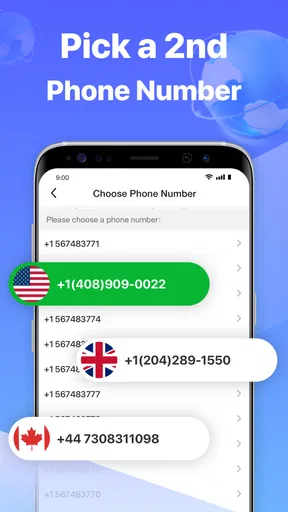
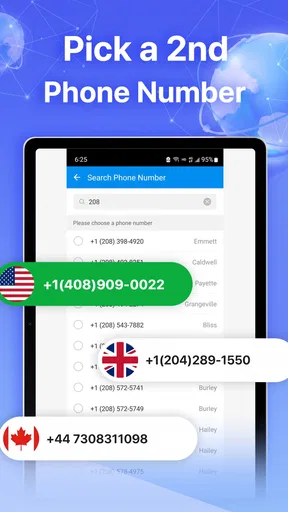
First things first, downloading and setting up the Second Number for Call & Text app is a breeze. I was pleasantly surprised by how straightforward the process was. No complicated forms or endless verification steps—just a simple download and a few taps to get started. You can choose a number from different regions, which is a neat touch if you’re looking to keep things local or need a specific area code.
Interface & Usability
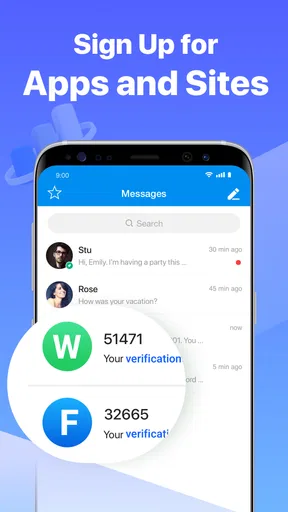
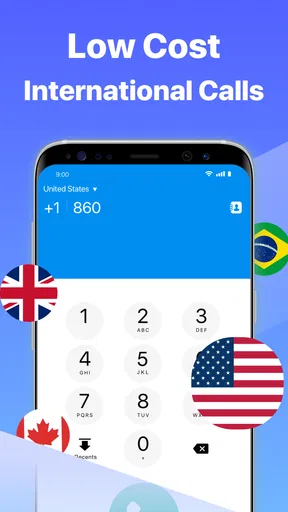
The interface is as intuitive as it gets. Once you’re in, you'll notice the clean layout. Everything is exactly where you’d expect it to be, which means you won't be fumbling around trying to find your way. Making calls or sending texts feels seamless, almost like you’re using your usual phone number. The app even supports multimedia messaging, so you can send photos, which is a nice bonus.
Features that Stand Out
One of the standout features is the call forwarding option. It’s perfect for when you want to ensure you don’t miss important calls. The app also offers voicemail, which is a lifesaver if you’re tied up and can't answer the phone. Plus, the ability to customize your voicemail greeting gives it a personal touch.
Another cool feature is the option to schedule messages. Need to send a reminder or a birthday greeting but fear you might forget? Just schedule it. The app has got your back.
Making a second number useful day to day
A practical routine is to use the extra number as a boundary, not just as another inbox. If I’m selling a desk locally, for instance, I can give prospective buyers that number, arrange a pickup by text, and keep my main number out of the exchange. Once the sale is complete, I can stop using that contact route instead of carrying the conversation into my personal messages. For a small freelance job, the same approach can keep inquiries separate while I’m deciding whether to take on the work.
There are trade-offs. A second number is helpful only if I check it often enough to respond; otherwise, the separation can turn into missed messages. I’d use a clear voicemail greeting that tells callers they’ve reached the right place, and I’d give new contacts a short explanation of what the number is for. That is more useful than assuming everyone will recognize an unfamiliar number.
Message scheduling also works best as a convenience rather than a substitute for checking the conversation. I’d use it for a planned reminder or a greeting, then review the thread before sending if the timing or context matters. A scheduled message can feel out of place if the conversation changes before it goes out, so it’s worth keeping the message simple and checking any pending send when plans shift.
Privacy & Security
If you’re concerned about privacy, rest easy. The app doesn’t store your conversations on their servers, so your secret chats remain just that—secret. It’s reassuring to know that even if you’re using a virtual number, your data is still protected. Plus, the app regularly updates its security protocols, keeping things snug and secure.
I’d still use a second number with sensible boundaries. It can reduce how widely I share my main number, but it doesn’t make every interaction anonymous or remove the need to think carefully about what I send. For a sensitive conversation, I would avoid treating an extra number as a guarantee of confidentiality. The practical benefit is keeping contact details distinct, not making risk disappear.
What to check when calls or texts don’t go through
If a call or message does not behave as expected, I’d start with the basics rather than immediately assuming the number has failed. Check that the device has a working internet connection, that the app is open and up to date, and that the intended conversation is using the second number rather than the regular phone line. Then try a brief, low-stakes test with someone who knows you’re checking the setup. A simple test helps separate a setup mix-up from a problem on the recipient’s side.
For a missed call, voicemail and call forwarding are useful parts of the workflow, but I would check their settings and test them before depending on them for something time-sensitive. If a text is delayed, avoid sending the same message repeatedly; first check the thread and ask the recipient whether anything arrived. Duplicate messages can make a small delay confusing, especially in a work or sales conversation.
When an issue continues, note what happened and when, then try again after checking the connection and restarting the app. If only one person cannot reach you, ask them to verify the number they saved and whether their own phone can place the call or send the text. That keeps troubleshooting practical without turning every glitch into a reason to abandon the second line.
How it compares with a regular line
Compared with carrying a second SIM or another phone, an app-based number is appealing because it keeps the extra contact route in one device. That makes it easier to maintain a work-and-personal split without adding hardware to a pocket or bag. A conventional mobile line may be a better fit when you need the familiarity and independence of another carrier number, or when uninterrupted reachability matters more than convenience. I see this app as a flexible extra channel, not a universal substitute for a primary line.
It also differs from simply using your existing number for every conversation: the value is being able to give out a separate contact point. But that benefit depends on recipients being able to reach it and on you remembering to check it. If your goal is only to silence work messages after hours, changing notification habits may be simpler; if your goal is to keep your number private while arranging a sale, a second number has a clearer purpose.
Cost: Is It Worth It?
Now, let’s talk about the cost. The app offers various subscription plans, which are pretty flexible. You can choose one based on your usage, which means you’re not locked into a plan that doesn’t suit your needs. For the features it offers, I’d say the pricing is fair. It’s definitely cheaper than maintaining a whole new phone line.
The app is free to install, with in-app purchases ranging from $0.99 to $59.99 per item. I’d look at the purchase details inside the app before committing and match them to how often I expect to call or text. If I only need a temporary contact channel, I would avoid paying for more than that use requires. Someone who expects frequent calls should weigh the ongoing convenience against the cost of a conventional line, rather than assuming an app-based option will always be cheaper.
Who it suits—and who may prefer another option
I can see this working well for people who need a separate number for occasional work inquiries, online listings, or personal boundaries, and who are comfortable managing calls and texts through an app. It may also suit someone who wants to try separating contacts before deciding whether a dedicated line is worth the added commitment. The app is free to download, rated for Everyone, and has an average rating of 4.3 from around 676,000 ratings, with over 50 million installs. Those figures suggest broad use, but they don’t guarantee that every number or workflow will suit your particular needs.
I’d skip it as my only contact method if I needed a guaranteed route for urgent calls, or if I rarely check apps and would likely miss messages. A separate SIM or standard mobile line may be preferable when having an independently managed connection is the priority. I’d also keep my usual number available for important accounts until I’ve confirmed that the services I depend on will accept the second one.
When to Use It?
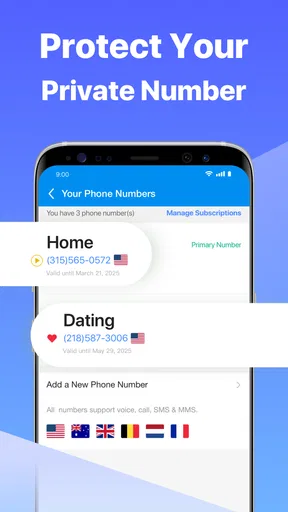
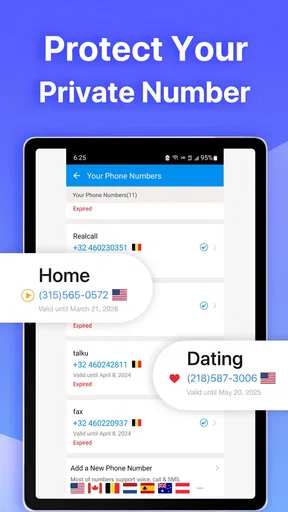
So, when might you need a second number? The scenarios are endless. Whether it’s for work, online dating, buying or selling stuff online, or even just to separate your professional and personal life—the app has got you covered. It’s a handy tool that simplifies things without the need for another SIM card or phone.
The current version is 6.5.2, and the app has been available since July 12, 2013. I’d treat that history as context, not as a promise that every carrier, recipient, or use case will behave the same way. For a new workflow, start with a low-stakes conversation, make sure calls and texts reach the right place, and only then share the number more widely.
Ultimately, the Second Number for Call & Text app is a solid choice for anyone needing a bit more flexibility in their communication channels. It’s user-friendly, secure, and packed with features that make it worth considering. So, if you find yourself juggling multiple phone numbers or just want to keep things organized, give this app a shot. It might just be the game-changer you didn’t know you needed.
Privacy and Permissions
See what permissions an app requests and how it handles your data.
- Contacts
- read your contacts, modify your contacts
- Location
- approximate location (network-based), precise location (GPS and network-based)
- Phone
- directly call phone numbers, read phone status and identity
- Photos/Media/Files
- read the contents of your USB storage, modify or delete the contents of your USB storage
- Storage
- read the contents of your USB storage, modify or delete the contents of your USB storage
- Camera
- take pictures and videos
- Microphone
- record audio
- Wi-Fi connection information
- view Wi-Fi connections
- Device ID & call information
- read phone status and identity
- Other
- view network connections, pair with Bluetooth devices, full network access, change your audio settings, run at startup, draw over other apps, control vibration, prevent device from sleeping
Verdict
Strengths of Second Number for Call & Text
- Easy to set up and use interface.
- Affordable pricing for premium features.
- Reliable call and text functionality.
- Secure and private communication.
- Supports multiple numbers on one device.
Limitations of Second Number for Call & Text
- Limited free version features.
- Occasional connectivity issues.
- Ads in the free version.
- Not available in all countries.
- Customer support response time lags.
Other Releases by Dingtone Phone
View All
FAX - Send Fax from Phone
Business4.4
Similar Picks in This Category
View All
Meta Platforms, Inc.4.6

Instagram4.0

Likee-Live, Chat & Party Games
Likeme Pte. Ltd.4.4

Facebook Lite
Meta Platforms, Inc.4.5

TikTok - Videos, Shop & LIVE
TikTok Pte. Ltd.4.0

Moj: Free Short Drama & Reels
ShareChat4.1
Frequently Asked Questions
What is Second Number for Call & Text?
Second Number for Call & Text is an app that allows users to have an additional phone number on their device without needing a second SIM card. This is ideal for separating work and personal communication, or for maintaining privacy when contacting new people.
How does the app ensure privacy and security?
The app ensures privacy by keeping your primary number hidden and providing a separate number for calls and texts. It uses encryption to protect your messages and call data, ensuring your information remains secure and confidential at all times.
Is there a limit to the number of texts and calls I can make?
The app typically offers various subscription plans that may include different limits on texts and calls. Users can choose a plan that suits their needs, whether it’s unlimited or a specific bundle, ensuring flexibility and cost-effectiveness.
What are the main features of Second Number for Call & Text?
Key features include the ability to choose from multiple area codes, voicemail, call forwarding, and text messaging. It also offers customizable notifications and the ability to manage multiple numbers, making it versatile for professional and personal use.
Is Second Number for Call & Text available on both Android and iOS?
Yes, the app is available for both Android and iOS platforms. Users can download it from the Google Play Store or Apple App Store, ensuring compatibility across a wide range of devices and operating systems.
